From a free Starter Pack to systems that run without you.
Here’s what happens, step by step, when we build AI systems for a creative studio or wellness practice. You can start anywhere along the path. Every screen below is an example with sample data, so you can see what you’d actually get.
Five stages. Each one stands on its own.
Creative Voice Starter Pack
Free
Backend Blueprint AI Audit
$200, or $400 with a one-hour call
Your build plan
Included in both build options
The build
Guided Playbook, $1,997, or a Done-for-You Build quoted for your business
Keep it running
Optional 90-day monitoring after the build
Creative Voice Starter Pack
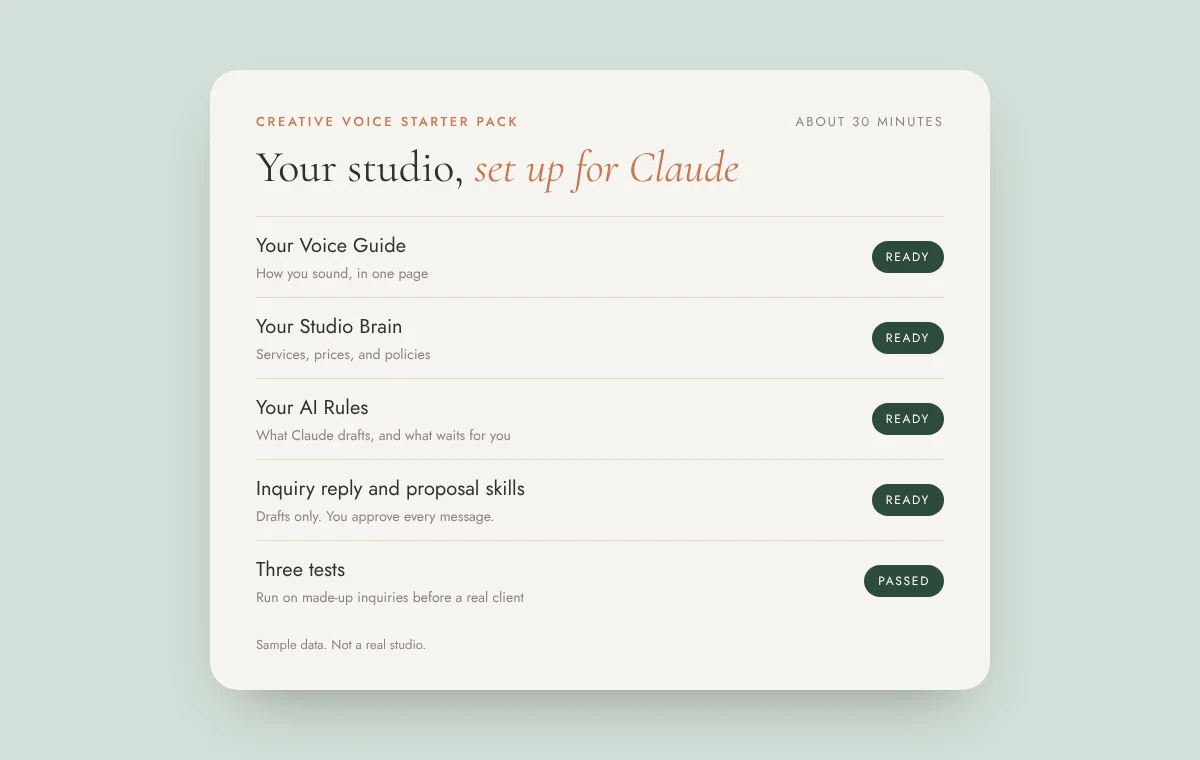
Teach Claude to write in your voice, with your prices and your policies, before anything else. It is the fastest way to see what AI can do for your inbox, and it costs nothing.
- Answer a short interview and paste a few prompts
- Approve every draft before it goes anywhere
- Run three quick tests on made-up inquiries
- A one-page Voice Guide, your Studio Brain, and your AI Rules
- Two ready-made skills: inquiry replies and proposals
- A client path map that shows where your time leaks
Example screen with sample data. Not a real client.
Backend Blueprint AI Audit
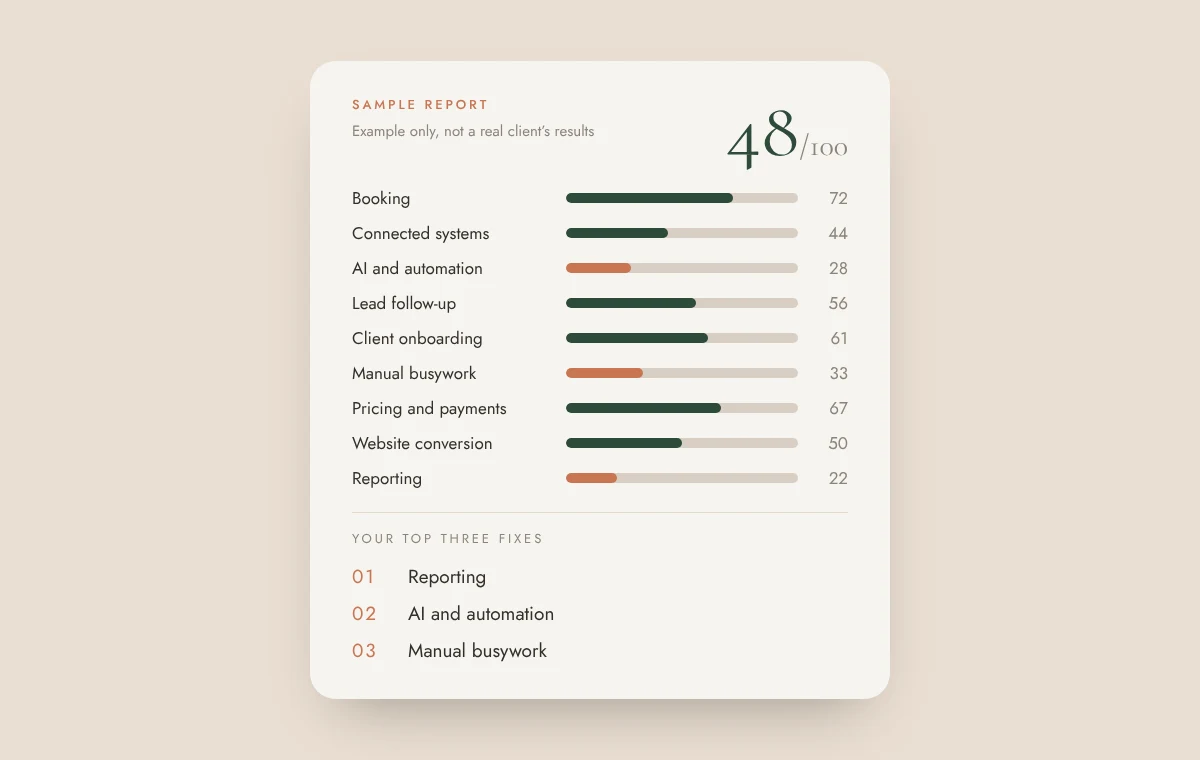
A scored report on how your business runs today. It shows where you leak time and ranks the three fixes that will make the biggest difference.
- Answer 27 questions in plain language (no client details needed)
- Wait 3 to 5 business days for your report
- Optional: walk through it with Serena on a one-hour call
- A score out of 100 and a score for each of nine areas
- Your top three fixes, in the order to do them
- The audit fee credited toward a build booked within 30 days
Example screen with sample data. Not a real client.
Your build plan
Your fixes become a plan around the tools you already use. We decide what gets built, how it connects, and what stays out of AI tools before anything is built.
- Tell us which tools you use and where things get stuck
- Approve the plan and the order we build in
- A build plan that moves from plan to build, test, and hand off
- A map of how booking, payments, and client records connect
- Clear rules for what AI can touch and what always waits for you
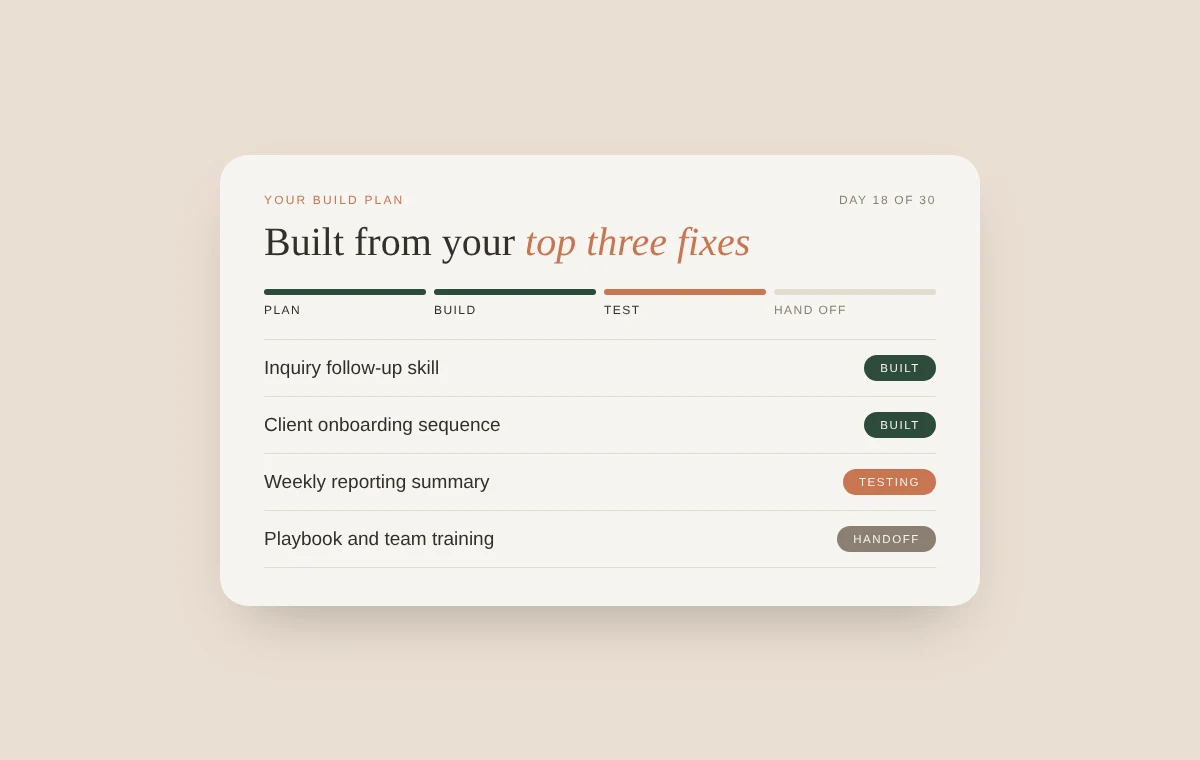
Example screen with sample data. Not a real client.
The build
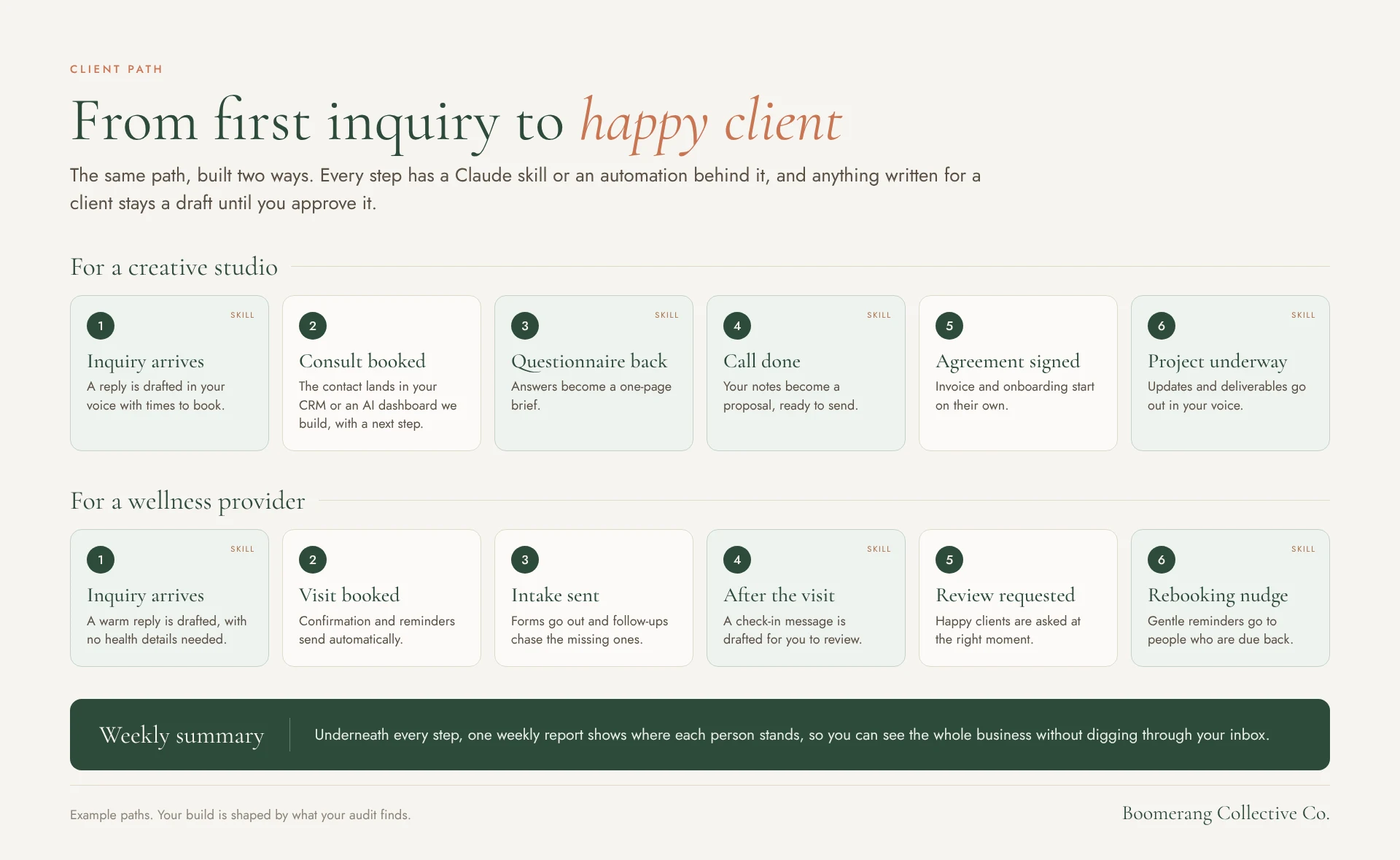
This is where the Claude skills, agents, and automations get built. You choose who builds them. Anything written for a client waits for your approval.
- Guided Playbook: you set it up, using a written playbook and your audit results
- Done-for-You: we build in your accounts over 30 days, with your approval
- Either way, you approve every client-facing message
- Replies, booking, onboarding, and paperwork handled by skills and automations
- Your voice guide saved into every skill so it sounds like you
- Everything tested with real situations from your business before we call it done
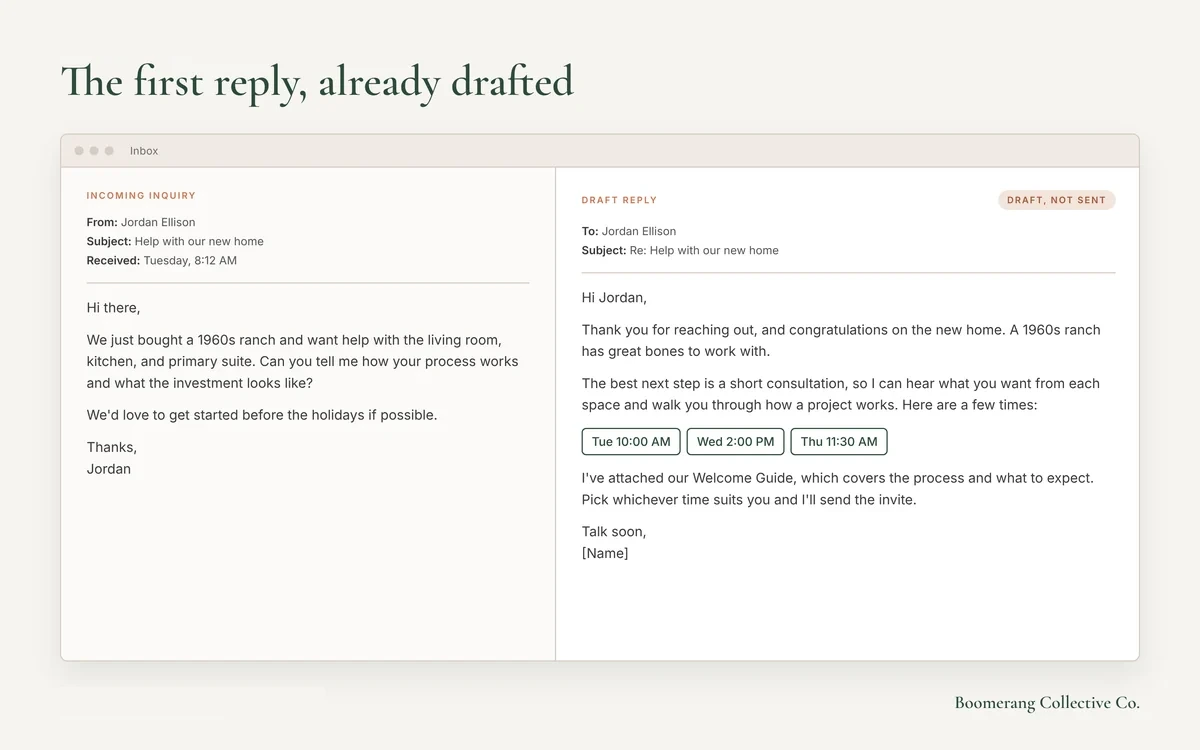
Example screen with sample data. Not a real client.
Keep it running
A weekly summary shows how everything is running, and what needs you. AI tools change every few weeks, so monitoring keeps your systems current instead of leaving them to drift.
- Read one short weekly summary
- Step in only on the items marked as needing you
- Inquiries, booked consults, and open items in one place
- Testing as tools change, and fixes when something breaks
- Optional training sessions for you and your team after the build
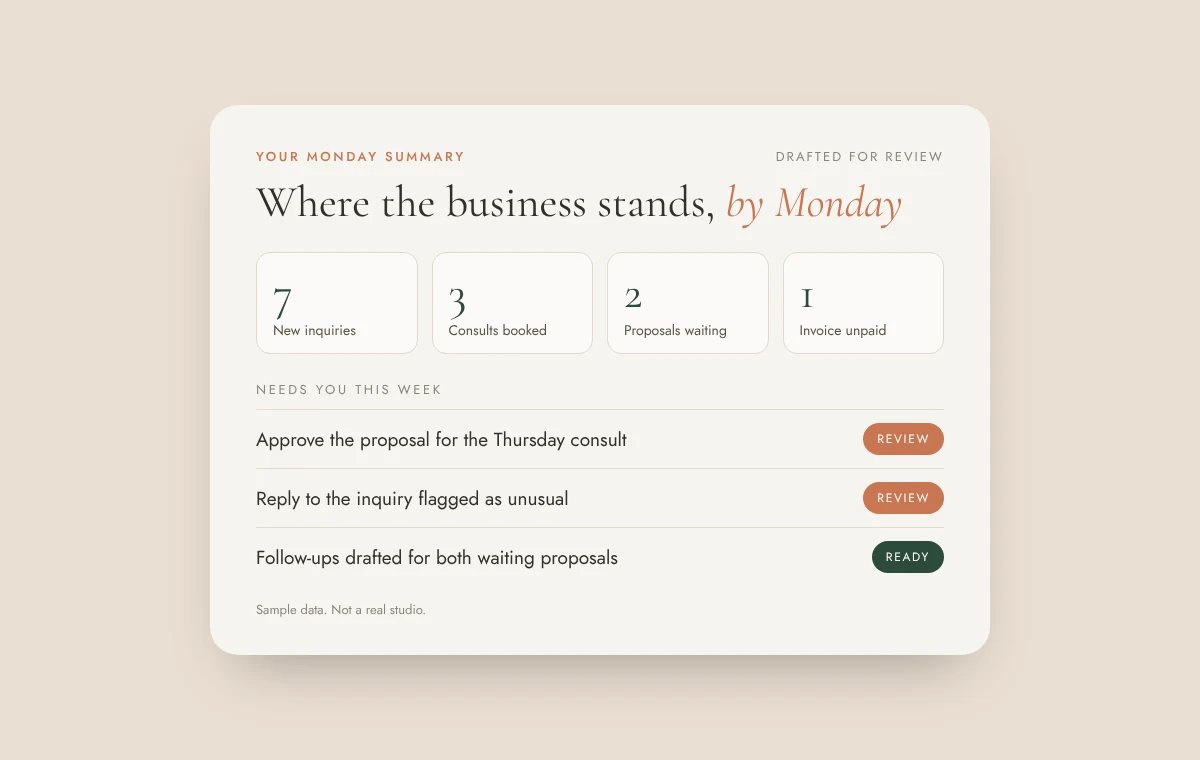
Example screen with sample data. Not a real client.
We design it with your systems built in.
If you need a new website or a redesign, the automations go into the design we create for you. Your forms, booking, and follow-up connect to everything above instead of sitting beside it.
See Signature LaunchYou stay in charge. The systems do the legwork.
Pick the one that sounds most like you.
Want to try Claude on your inbox first?
Start with the free Starter Pack. You get your first drafts in about 30 minutes.
Want to know what to fix first?
The Backend Blueprint AI Audit scores nine areas and ranks your top three fixes.
Already know what you need built?
Choose the Guided Playbook or the Done-for-You Build. We start from your top three fixes.
We aren’t tied to one platform. We build wherever you already run.
Your tools came before we did, and we work with them instead of making you switch. These are some of the platforms we’ve built inside. If yours isn’t listed, we’ll learn it.
…and more. Hover to pause.
Questions About the Path
No. Start where it makes sense. Some people stop at the free Starter Pack and run on their own. Some start with the audit. If you already know what you need, we can go straight to the build options. The order is how we'd do it for a full build, not a requirement.
Not sure where you fit? Start with the audit.
It tells you what to fix first, and the cost is credited toward a build if you decide to go further.